Client Repository Installation
Verify the local repository functionality by installing NGINX on a client node (10.12.12.22 or 10.12.12.23) using the monitoring server as the exclusive package source.
1. Import GPG Keys
Import the NGINX GPG key directly from the local repository server to ensure trust:
Import key:
sudo wget -O- http://10.12.12.21/ubuntu-additional/gpg/nginx.gpg | sudo gpg --dearmor -o /usr/share/keyrings/nginx-archive-keyring.gpg
2. Configure Local Sources
Create a new repository list file on the client node. We use a heredoc (EOF) to precisely define the local server URL:
create sources list:
sudo tee /etc/apt/sources.list.d/nginx.list <<EOF
deb [arch=amd64 signed-by=/usr/share/keyrings/nginx-archive-keyring.gpg] http://10.12.12.21/ubuntu-additional/nginx jammy nginx
EOF
3. Isolate Local Repository
To ensure that NGINX is installed exclusively from the local server and not from any external Ubuntu mirrors, disable all existing repository configurations:
backup default sources:
# Backup the main sources.list
sudo mv /etc/apt/sources.list /etc/apt/sources.list.bak

# Backup other existing list files
sudo mkdir -p /etc/apt/sources.list.d/backup
sudo mv /etc/apt/sources.list.d/*.list /etc/apt/sources.list.d/backup/
# (Wait! Move our nginx.list back)
sudo mv /etc/apt/sources.list.d/backup/nginx.list /etc/apt/sources.list.d/
4. Update & Install
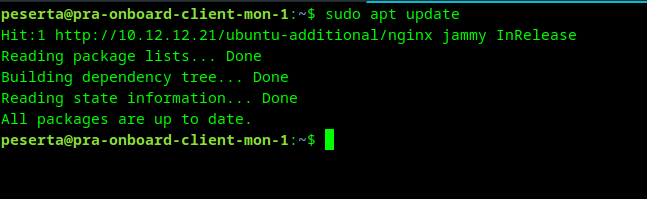
Update the package cache. You should notice the client fetching metadata from the internal 10.12.12.21 IP:
update:
sudo apt update
Output:
install nginx:
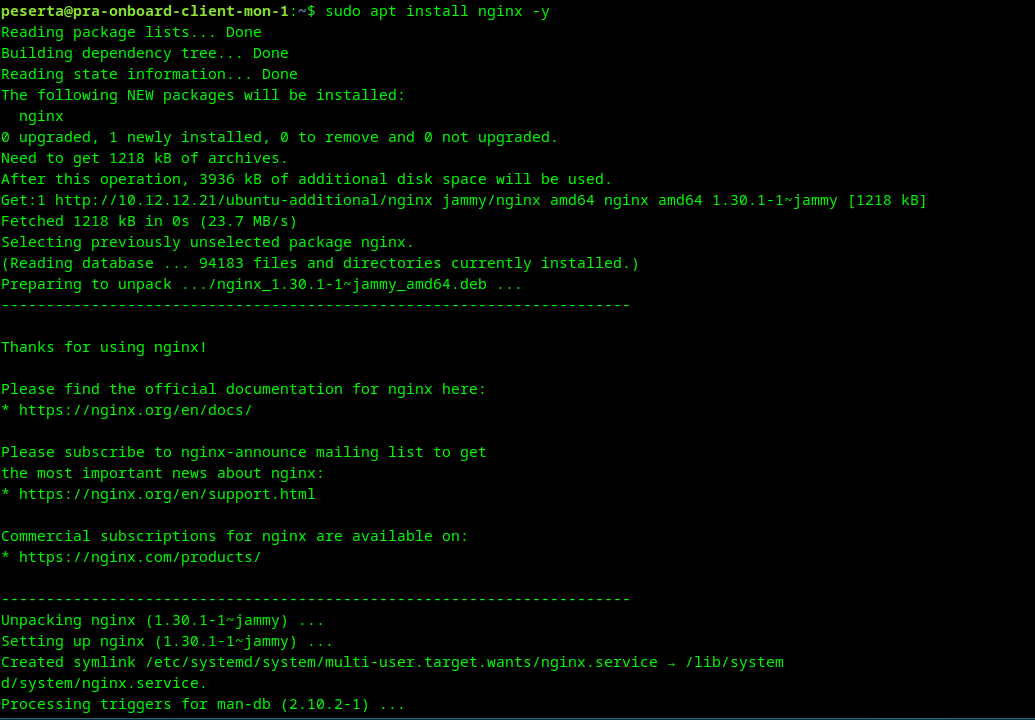
sudo apt install nginx -y
Output:
4. Verification
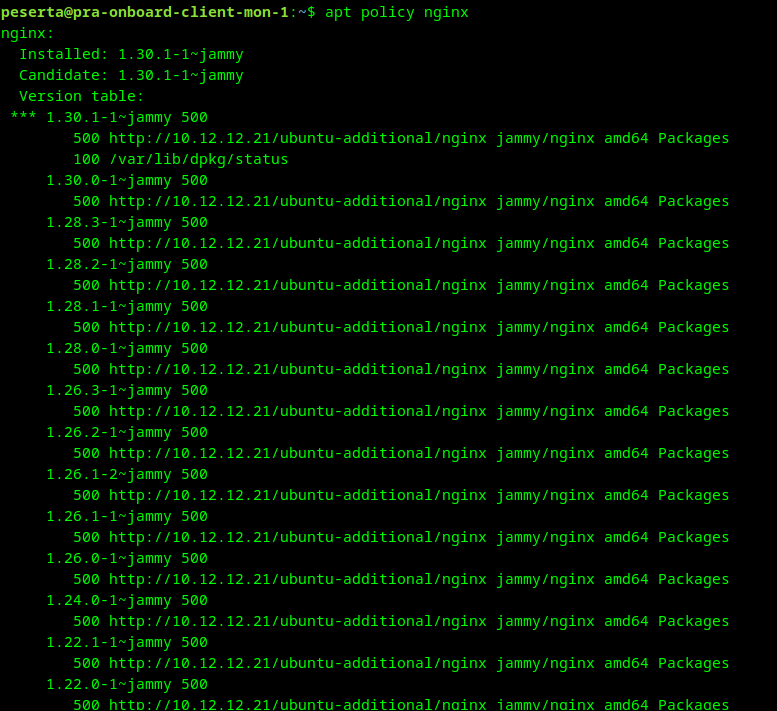
Confirm that the installed package was indeed sourced from the local repository server rather than the public internet.
check package source:
apt policy nginx
Output:
If the apt update fails, verify that the NGINX service on the Monitoring Server is running and that the symlinks in /var/www/html/ are correctly configured.