Log Extraction & Filtering
Extract system logs for a specific time window (14:00 to 14:35) while excluding monitoring-related entries. You can achieve this using either the modern journalctl utility or traditional text-processing tools.
1. Systemd Journal (journalctl)
The recommended approach for modern Linux distributions is using journalctl, which provides precise time-based filtering natively:
filter logs with journalctl:
sudo journalctl --since "2026-05-14 14:00:00" --until "2026-05-14 14:35:00" | grep -vE "promtail|node_exporter"

2. Optimized Auth Analysis (auth.log)
For authentication and security-specific logs, you can use awk to extract the same time window from /var/log/auth.log and filter for administrative actions:
extract auth logs with awk:
sudo awk '$3 >= "14:00:00" && $3 <= "14:35:00"' /var/log/auth.log | grep root
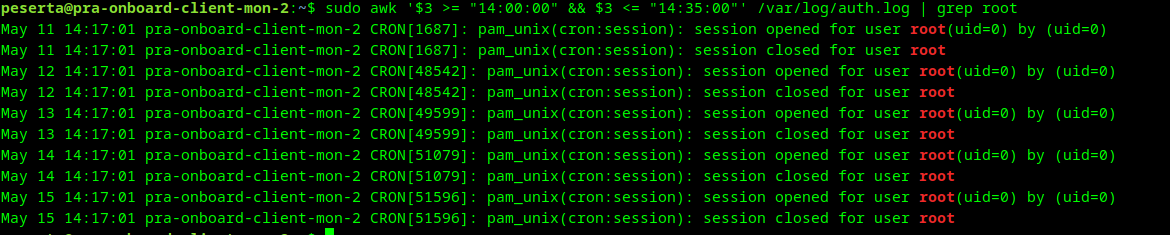
info
Using awk for string comparison on the 3rd field is highly efficient for targeted time-window extraction in standard syslog formats.